✅ DeploymentとServiceを活用したWebサーバー(Nginx)の起動
1.Manifestファイルの作成
deployment.yaml
apiVersion: apps/v1
kind: Deployment

# Deploymentの基本情報
metadata:
  name: nginx-deployment # Deployment名

# Deploymentの詳細情報
spec:
  replicas: 3
  selector:
    matchLabels:
      app: nginx # 以下で定義したPodのうち、「app: nginx」という値を持つPodを選択

  # デプロイするPodの定義
  template:
    metadata:
      labels: # ラベル(=カテゴリ)
        app: nginx
    spec:
      containers:
      - name: nginx-container # コンテナ名
        image: nginx # コンテナ作成時に使用するイメージ
        ports:
        - containerPort: 80 # コンテナで使用するポートを明示的に指定
service.yaml
apiVersion: v1
kind: Service

# Serviceの基本情報
metadata:
  name: nginx-service # Service名

# Serviceの詳細情報
spec:
  type: NodePort # Serviceの種類
  selector:
    app: nginx # 実行中のPodのうち、「app: nginx」という値を持つPodとServiceを紐付け
  ports:
    - protocol: TCP # サービスに接続するためのプロトコル
      port: 80 # Kubernetes内部からServiceに接続するためのポート番号
      targetPort: 80 # マッピングするPodのポート番号
      nodePort: 30000 # 外部からユーザーがアクセスするポート番号
2.Manifestファイルの実行
$ kubectl apply -f deployment.yaml
$ kubectl apply -f service.yaml
3.オブジェクトが正常に作成されたか確認
$ kubectl get pods
$ kubectl get deployment
$ kubectl get service
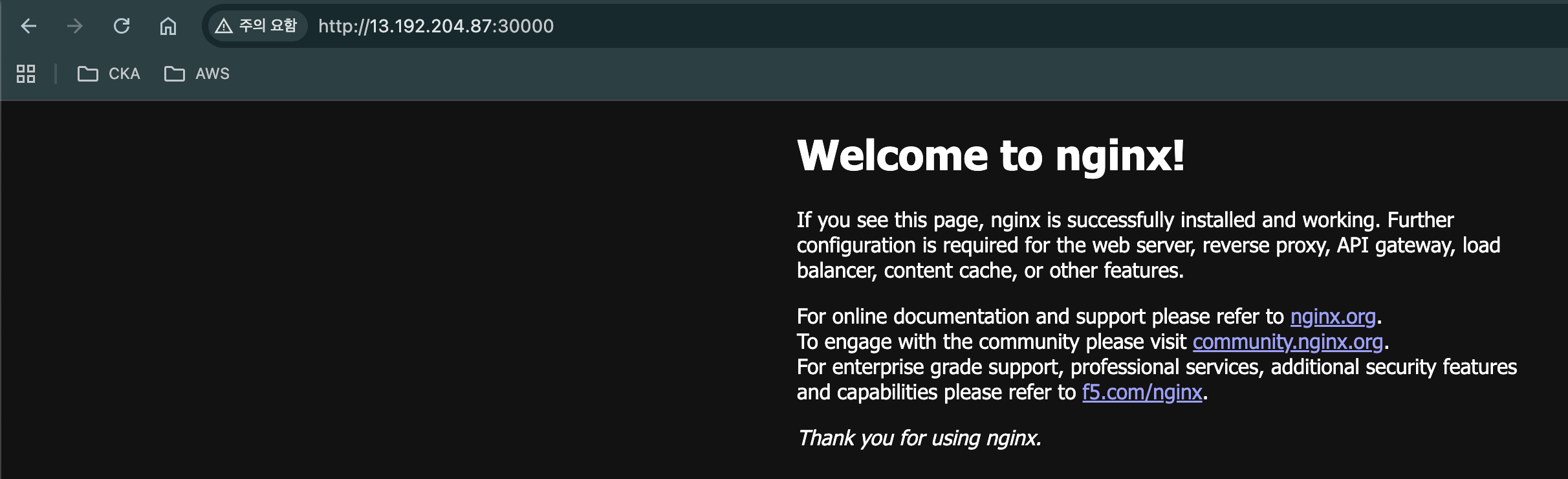
4.正常に接続できるか確認する
k3sインスタンスの[パブリック IPv4 アドレス:30000]
'k8s > archive_1' 카테고리의 다른 글
| 22.Spring BootサーバーのビルドとECRへのPush (0) | 2026.03.19 |
|---|---|
| 21.Spring Bootのデプロイ、DBの連携(RDS、ECR) (0) | 2026.03.19 |
| 19.EC2 - k3s (0) | 2026.03.18 |
| 18.Volume - 外部からのMySQLアクセスを遮断する (0) | 2026.03.18 |
| 17.Volume - ConfigMap、Secret (0) | 2026.03.18 |